
LA Times: Essential California
NantMedia Holdings, LLCNews & Magazines
2.91.41K Reviews
- Version
- 5.1.03
- Installs
- 500.00K
- Age Rating
- Everyone 10+
Screenshots

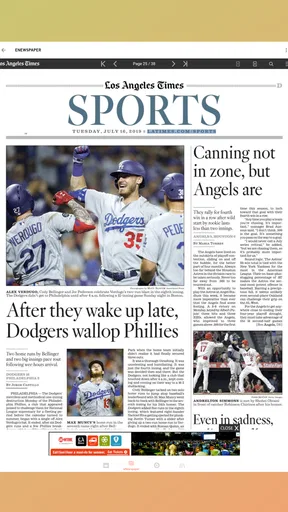

Our Review of LA Times: Essential California
 Analysis by Appyee
I’d choose a news app by asking a simple question: do I want a broad sweep of headlines, or reporting with a clear California focus? LA Times: Essential California is aimed at the second kind of reader. It is a news and magazines app from NantMedia Holdings, LLC, built around Los Angeles Times journalism, so its appeal depends less on having every possible topic and more on whether California coverage is something you want to follow regularly.
That distinction matters in everyday use. A general news aggregator can be handy when I want headlines from many outlets in one place, while a national broadcaster’s app may suit someone who mainly follows federal politics or breaking events across the country. This app makes more sense when I want California stories to be part of my normal reading rather than an occasional detour. I would treat it as a focused source, not necessarily the only news app on my phone.
My practical test would be whether I can name a reason to check it more than once: keeping up with local and state developments, following the region from outside California, or reading the Los Angeles Times’ perspective alongside other sources. If none of those describe you, the app’s regional emphasis may feel narrow. If they do, a dedicated publication can make it easier to return to coverage that gets lost in a general-purpose feed.
Getting Started with LA Times: Essential California
First things first, downloading and setting up the LA Times: Essential California app is a breeze. It’s available for both Android and iOS, so no one’s left out in the cold. Once you’ve got it installed, you’re greeted with a clean, user-friendly interface that’s as inviting as a sunny California morning.
The app is free to install, and its age rating is Everyone 10+. It has more than 500,000 installs and an average rating of 3.1 from around 3,700 ratings, so I would not assume every reader will have the same experience. Those figures are useful context, but they do not tell me whether the app’s particular mix of coverage suits my needs; I would judge that by trying it with the stories I actually care about.
Interface and Usability
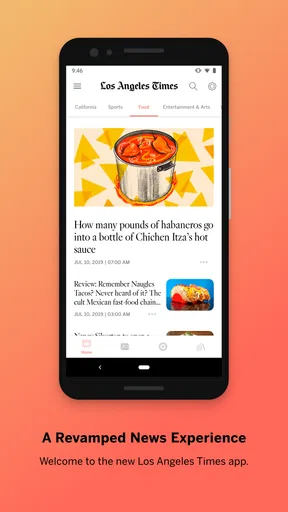
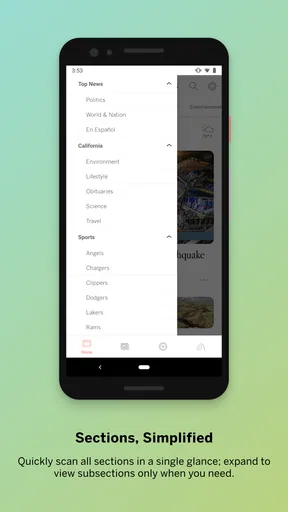
The app’s design is intuitive, making navigation a walk in the park. The homepage is your gateway to top stories, and it’s neatly organized to keep clutter at bay. You can easily swipe through sections, and it’s clear they’ve put a lot of thought into making it accessible for everyone. For someone like me, who appreciates both aesthetics and functionality, this app hits the sweet spot.
For a more useful first session, I would look beyond the first few headlines and notice what kinds of stories keep appearing. That helps answer a question a download page cannot: whether the editorial mix matches my interests, rather than merely looking polished. I would also check how easily I can get from a headline to a full article and back to browsing, since that small loop determines whether I read one story or settle in for a longer catch-up.
Features that Stand Out
One of the standout features is the daily briefing. Every morning, you’re treated to a curated selection of the most important stories, ensuring you’re always in the loop. It’s like having your very own personal news concierge.
I find a briefing most useful when I give it a specific job: a quick overview before work, then a deeper read only if one item affects my day or deserves more context. That is a better fit for a curated selection than expecting it to replace every article I might want. On a busy morning, I can scan the roundup and save the longer reading for a calmer moment instead of letting the news feed take over the whole routine.
Another feature that I really appreciate is the customization option. You can tailor your news feed to focus on specific topics of interest, from politics and entertainment to sports and lifestyle. It’s like creating a bespoke newspaper that aligns perfectly with your interests.
There is a useful trade-off in personalizing a feed: it can cut down on irrelevant browsing, but narrowing it too aggressively may also mean seeing less of the broader context around a major California story. I would start with the subjects I follow most, then leave room for the app’s wider selection. That balance is especially helpful if I use the app both for a particular interest and to understand what else is happening in the state.
Content Quality
The LA Times: Essential California app doesn’t skimp on quality. The articles are well-researched, insightful, and written with a flair that’s synonymous with the Los Angeles Times brand. Whether you’re reading about the latest political developments or a quirky lifestyle piece, the writing is engaging and informative.
That editorial identity is the main reason I would choose it over a neutral-looking headline aggregator. An aggregator is efficient when I want to compare coverage from a range of publishers, but it can make every item feel like a disconnected link. A publication app offers a more consistent voice and a place to follow its reporting over time. I would still consult other outlets on a complicated or consequential issue; a strong publication is a useful lens, not a reason to stop comparing perspectives.
Notifications and Alerts
If you’re worried about missing out on breaking news, fear not. The app comes with customizable notifications that ensure you’re alerted to the big stories as they happen. You can tweak these settings to avoid being bombarded, keeping your notifications as chill as a Venice Beach afternoon.
My advice is to be selective rather than enabling every alert immediately. A notification can be valuable when a developing story is directly relevant, but constant interruptions make it easier to dismiss all news notices without reading them. I would begin with only the alerts I genuinely want, then adjust after a few days. If I am trying to reduce screen interruptions, I can leave notifications quiet and make the daily briefing my deliberate check-in instead.
Offline Reading
For those of us who are constantly on the move, the offline reading feature is a game-changer. You can save articles to read later, perfect for those moments when you’re stuck in the subway or flying across the country. It’s these little touches that make the app so user-friendly and versatile.
A realistic use for saving stories is a commute with unreliable reception: I can pick out a few pieces while connected, then read them later without needing to search for them again. I would make a habit of saving articles before leaving Wi-Fi rather than assuming I will remember to do it at the last minute. This also turns the app into a small reading queue, which is more manageable than opening every story as soon as I see it. Offline access is a convenience for prepared reading, not a substitute for checking the latest updates when I am back online.
The app runs on Android with a minimum operating-system version of 8.0, and its current version is 5.0.98. For someone considering a switch from a browser or another news app, I would first check that the device meets that requirement and then try the app alongside the existing routine. There is no need to move every bookmark or change every habit on day one: a few days of reading will show whether the briefing, topic choices, and article experience are enough to earn a regular place on the home screen.
What the Price Means in Practice
Installing the app is free, though it offers in-app purchases ranging from $0.99 to $19.98 per item. That makes it worth distinguishing between trying the app and deciding whether to pay for anything within it. I would explore the free experience first and pay only if the terms shown in the app clearly match how often I read and what access I want. A free download does not automatically mean every piece of content or every reading option will be free, so I would check the prompt before confirming a purchase rather than treating payment as part of setup.
This is also where the app’s value becomes personal. Someone who checks California news every day may find a paid option more relevant than a casual reader who visits once in a while. If I only want occasional headlines, a free news source or a browser may be enough. If the reporting is a regular part of my reading, I would compare the available purchase details with my actual use instead of paying on impulse or assuming the app is an all-access subscription.
Choosing It Alongside Other News Sources
For readers comparing options, I see three broad alternatives. General aggregators are useful for scanning many publishers quickly; national news apps are a natural choice for stories with a countrywide emphasis; and local outlets can be better when the priority is very specific neighborhood information. This app sits most comfortably with readers who want a recognizable Los Angeles Times editorial voice and a California-centered selection. It does not have to replace those other sources: I could use it for regional depth, then check a broader feed when I want a wider range of viewpoints or a local source when a nearby issue matters.
That division of labor is a practical way to avoid asking one app to do everything. For example, I might read the briefing over breakfast, open a full story about a state issue during a break, and use a separate source later for a national event. The advantage is a more intentional routine; the trade-off is keeping more than one source in mind. If the goal is a single feed that gathers coverage from many publishers, an aggregator is likely the simpler choice. If the goal is a steady California perspective, this app has a clearer reason to exist.
Why I Love It
Personally, I love how the app makes the vastness of California feel accessible and personal. It’s like having a Californian friend who’s always in the know, ready to share the latest scoop. The blend of serious journalism with lighter, lifestyle pieces ensures there’s always something to catch your interest.
I would recommend it most to California residents who want a regular reading habit, people who have moved away but still care about the state, and curious readers who want more than a passing glance at the region. It may also suit someone who already reads national news but wants a dedicated place for California reporting. By contrast, readers who want only local service alerts, a broad international overview, or a feed assembled from many publishers may be happier with a different kind of news source.
If I were trying it for the first time, I would keep the test simple: read the daily briefing for several mornings, open a few full stories in areas I care about, and see whether the topic controls make the mix feel more relevant. I would save one longer piece for an offline moment and adjust alerts only after I know what deserves an interruption. That small routine answers the important questions—whether the coverage is useful, whether the interface suits my habits, and whether any paid option makes sense—without committing to a major change in how I follow the news.
In conclusion, whether you’re a California native, a news junkie, or just someone curious about the West Coast, LA Times: Essential California offers something for everyone. It’s a well-rounded app that delivers high-quality content in a format that’s easy to digest. So why not give it a whirl? You might just find yourself hooked on the Californian way of staying informed.
My recommendation is positive, with one clear condition: choose it for the California focus, not because you expect one app to cover every kind of news equally well. I would try the free download, tune the feed to a few genuine interests, and keep another source available when I want broader coverage or a different viewpoint. If the regional reporting becomes part of my everyday routine, it has earned its spot; if I rarely open California stories, I would move on without feeling that I missed the right app for me.
Verdict
Strengths of LA Times: Essential California
- Comprehensive local news coverage
- User-friendly interface design
- Regularly updated content
- Customizable notification settings
- Offline reading mode available
Limitations of LA Times: Essential California
- Limited national news focus
- Ads in the free version
- Subscription required for full access
- Occasional app crashes
- Limited multimedia content
Similar Picks in This Category
View All
Google News - Daily Headlines
Google LLC4.0

X
X Corp.4.8

Flipboard:Your Social Magazine
Flipboard3.4

Opera News: breaking & local
Opera4.5

Hindi News by Dainik Bhaskar
Dainik Bhaskar Group4.0

Way2News Daily News App
Way2News ( Formerly Way2SMS )4.6
Frequently Asked Questions
What features does the LA Times: Essential California app offer?
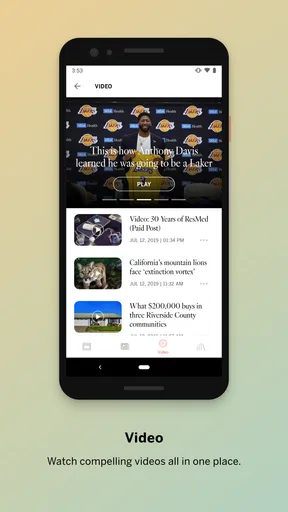
The LA Times: Essential California app provides users with the latest news and stories focused on California. It includes breaking news alerts, in-depth articles, multimedia content like videos and photo galleries, and personalized news feeds. Users can also enjoy offline reading, allowing them to save articles for later without an internet connection.
Is the LA Times: Essential California app free to use?
The app is free to download and offers limited access to select articles. However, for full access to all premium content, users are required to subscribe. Subscription options typically include monthly or yearly plans, providing unlimited access to all articles and exclusive features.
How frequently is the content updated in the app?
Content in the LA Times: Essential California app is updated continuously throughout the day. This ensures users receive the most current news and updates as they happen. The app prioritizes timely and accurate reporting, making it a reliable source for staying informed about California’s developments.
Can I customize the type of news I receive on the app?
Yes, the app allows users to customize their news feed based on their interests. By selecting preferred topics or regions, users can tailor their experience to receive stories that matter most to them. This personalization feature ensures that users stay engaged with relevant content.
What devices are compatible with the LA Times: Essential California app?
The app is compatible with both Android and iOS devices. It supports a wide range of smartphones and tablets, ensuring a seamless experience across different platforms. Users should ensure their devices meet the minimum operating system requirements for optimal performance and access to all features.
